In-House Social Media Managers
Content Repurposing Workflow for In-House Marketing Teams
One brand, several platforms, and the asset that has to serve them all.
Overview
In-house repurposing usually means cropping a 16:9 cut to vertical and hoping. Filming with the second platform in mind, another angle and a tighter hook and a caption that works muted, costs ten minutes at the shoot and saves the reshoot.
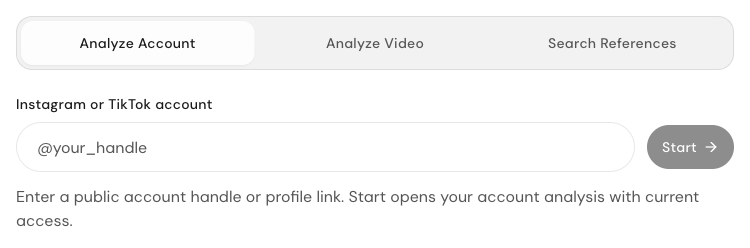
Superdirector. Superdirector reference intake screenshot with account, video and reference-search tabs.
Where This Helps In-House Social Media Managers
In-house social media managers carry a unique operational burden that distinguishes their workflow from agency or freelance counterparts. They are embedded within a single brand, which means every piece of content must pass through a stakeholder approval chain that typically includes marketing leadership, brand managers, legal review, and sometimes executive sign-off. That approval friction can add days to every content cycle, which means by the time a trend-inspired piece is approved, the trend may already be past its peak. Simultaneously, in-house teams face pressure to demonstrate measurable ROI to justify their budget — abstract metrics like "brand awareness" are increasingly insufficient when the CFO is asking for pipeline contribution numbers. The workflow tools that make the biggest difference for in-house teams are the ones that compress the ideation-to-approval timeline while building the data layer that connects content performance to business outcomes.
The workflow outlined on this page is designed for the specific constraints of in-house social media teams: limited creative resources, multi-layer approval chains, and the need to prove business impact. Rather than generic social media advice, every step is calibrated for the reality of operating inside a single brand with competing internal stakeholders. You will find concrete time estimates for each phase, recommendations for how to present data to leadership, and strategies for building a content buffer that absorbs the inevitable approval delays without disrupting your posting cadence.
Workflow Steps
Clip Identification
Analyze long-form content to identify segments with strong short-form potential based on hook strength, emotional peaks, quotable moments, and topic relevance to current formats. For example, a webinar might yield several clips ranked by clarity, standalone value, and fit for short-form pacing.
Platform-Specific Adaptation
Repurpose each extracted clip for TikTok and Reels with platform-native hooks, caption styles, and CTA placement. A clip that works as a fast-paced tutorial snippet on TikTok becomes a polished visual story on Reels. Each adaptation feels native to its platform, not like a cropped long-form excerpt.
Format Mapping
Map extracted clips to short-form formats that fit your niche: quote cards, mini-tutorials, reaction clips, behind-the-scenes moments, and highlight reels. The system suggests a format based on content type and observed performance patterns. A CEO interview segment might map to a "hot take" format, while a product demo maps to a tutorial format.
Production Multiplier
Track how many short-form pieces each long-form asset generates and measure their cumulative reach, saves, and downstream actions. Show leadership how one expensive asset can become a planned series instead of a single publish moment.
Use Cases
- Extract 10-15 short-form clips from a single webinar or product demo, each mapped to a reference format in your niche.
- Repurpose interview content into quote cards, hot take snippets, and highlight reels with platform-native hooks and CTAs added.
- Adapt long-form brand videos for TikTok and Reels, with each version shaped for its platform's pacing and audience expectations.
- Extend the useful life of expensive produced content by turning it into a planned short-form series.
- Build a 3-month content buffer from existing assets to maintain a consistent posting cadence without producing new content every week.